Certified Automation Engineer (CAE)
Certified Automation Engineer
Training Duration: 35 DAYS
Training Method:
All of our engineer’s are Industrial experienced engineers and we will give training based on our existing projects.
Overview:
-
Basic of Electronics, Electrical,Instrumentation,Programming,Process.
-
Understanding for Automation & Control
-
History of PLC / SCADA
-
Basic Components of Automation
-
Hardware / Software classification of Automation
-
Application of Industrial Automation
-
Job opportunity for PLC / SCADA
Course Content: PLC
-
Introduction to PLC’s
-
Architecture of PLC
-
Application and Advantage of PLC
-
Automation Concept and basic design
-
PLC programming
-
Introduction of Ladder Logic
-
Introduction of SFC
-
Introduction of Instruction list
-
Programmable Logic Controllers basic’s
-
Software / Hardware Introduction
-
Programming of PLC using 1131-3 Languages (LD, FBD, IL, etc.)
-
Developing the PLC programming from Control Narrative
-
Creating & Editing Ladder Logic Program
-
Developing industry oriented application programs using plc Programming Software
-
interfacing PLC with various field input/output devices
-
PLC Fault Finding, Trouble Shooting
-
Forcing I/O’s
-
Detailed sequence of wiring
-
PLC Control Panel Wiring
-
Interfacing with Relay logic
-
Hands on Experience from Real time application
-
Detailed Functions blocks and Wiring concept of Digital & Analog I/O modules
-
Fundamental of Basic Process Control
-
Implementation of Control Narratives
-
Transmitters / Transducers / mA Sources / HART Communicators connect with PLC
-
Overview of Flow, Pressure, Level, Temperature Transmitters
-
Overview of Control valve and ON/OFF valves
PLC Lab Capacity:
-
Siemens PLC
-
Allen Bradley
-
Schneider PLC
-
ABB PLC
-
Mitsubishi PLC
-
GE Fanuc PLC
-
Fuji PLC
-
Omron PLC
-
Delta PLC
-
Keyance PLC
Industrial / Project Documents:
-
P&ID Diagram (P&ID)
-
I/O List
-
Cause & Effect diagram (C&E)
-
Control Narratives
-
Single Line diagram
-
Function Design specifications (FDS)
-
Single Line Diagram (SLD)
-
Alarm management
HMI:
-
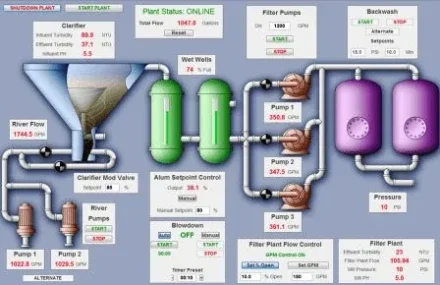
Introduction to HMI
-
Architecture of HMI / MMI
-
Creating Slides/Screens
-
Images, Objects Configuration
-
Alarm Configuration
-
Live interfacing with PLC
Human Machine Interface (HMI) Lab's:
-
Siemens
-
Mitsubishi
-
Delta
-
Omron
-
Schneider
SCADA:
-
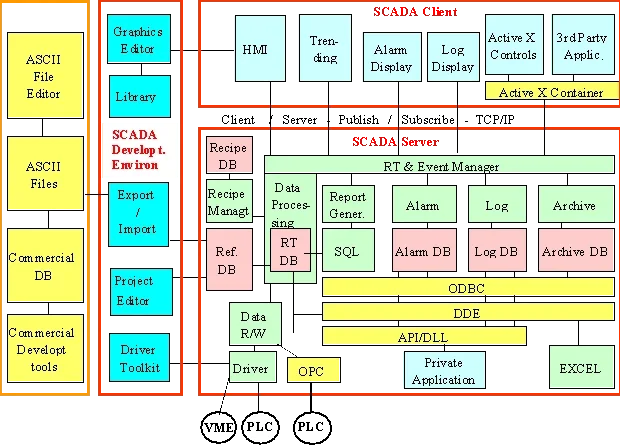
Introduction to SCADA
-
Establishing master-slave control
-
Creating & Editing Objects
-
Creating Database / New SCADA Project
-
SCADA page design from P&ID Diagram
-
Alarm Configuration
-
Trends- Real Time & Historical
-
Database & DDE connectivity
-
Driver configuration
-
Live interfacing with PLC
-
Understanding P&ID diagram
-
Alarm / Events Configuration
-
Report generation
-
Modbus / Profibus / OPC
-
Data transfer from PLC/RTU , Report Generation
-
Process Graphics Development
-
SCADA Mimic page create from P&ID Diagram
-
Graphics Properties – Sizing,Filling,Blinking,Analog Entry,Visibility,Etc.
-
SCADA & PLC Interface used Different drivers
-
Dynamic Object / Display Creation
-
Cause & Effect Matrix creation
-
Dynamo creation for display
SCADA Lab Software's:
-
Wonderware
-
IFIX 32
-
KingView
-
AFCON (PCIM)
-
Vijeo citect